A plain-language guide to viewing and downloading your recruitment result on the Rajasthan Recruitment Portal, and answers on result availability.
Once a recruitment's examination process is complete, the result is published on the official Rajasthan Recruitment Portal. This page explains how to check and download your result, and answers common questions about when results appear and how long they stay available.
How to check your result: 5 steps
1
Visit the official recruitment website
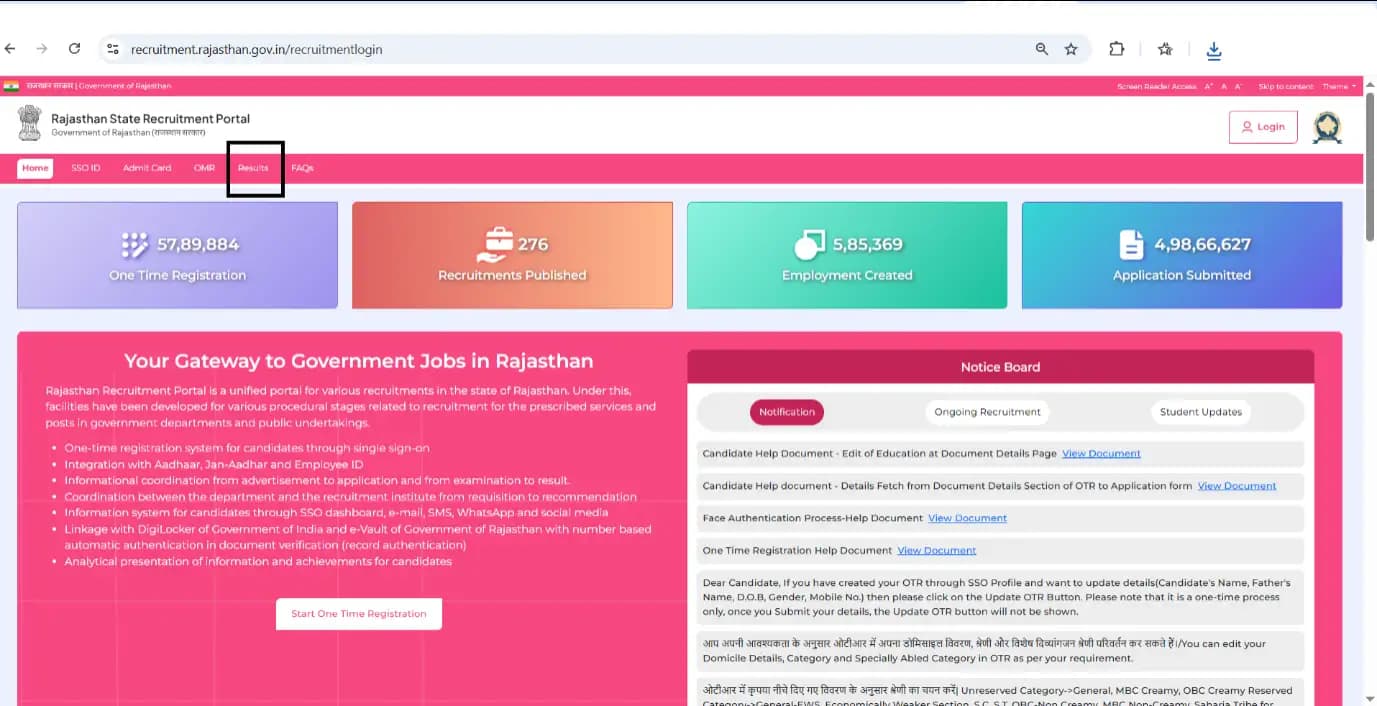
Go to the official Rajasthan Recruitment Portal at recruitment.rajasthan.gov.in.
2
Open the Result option
Click on the Result option available on the Dashboard.
3
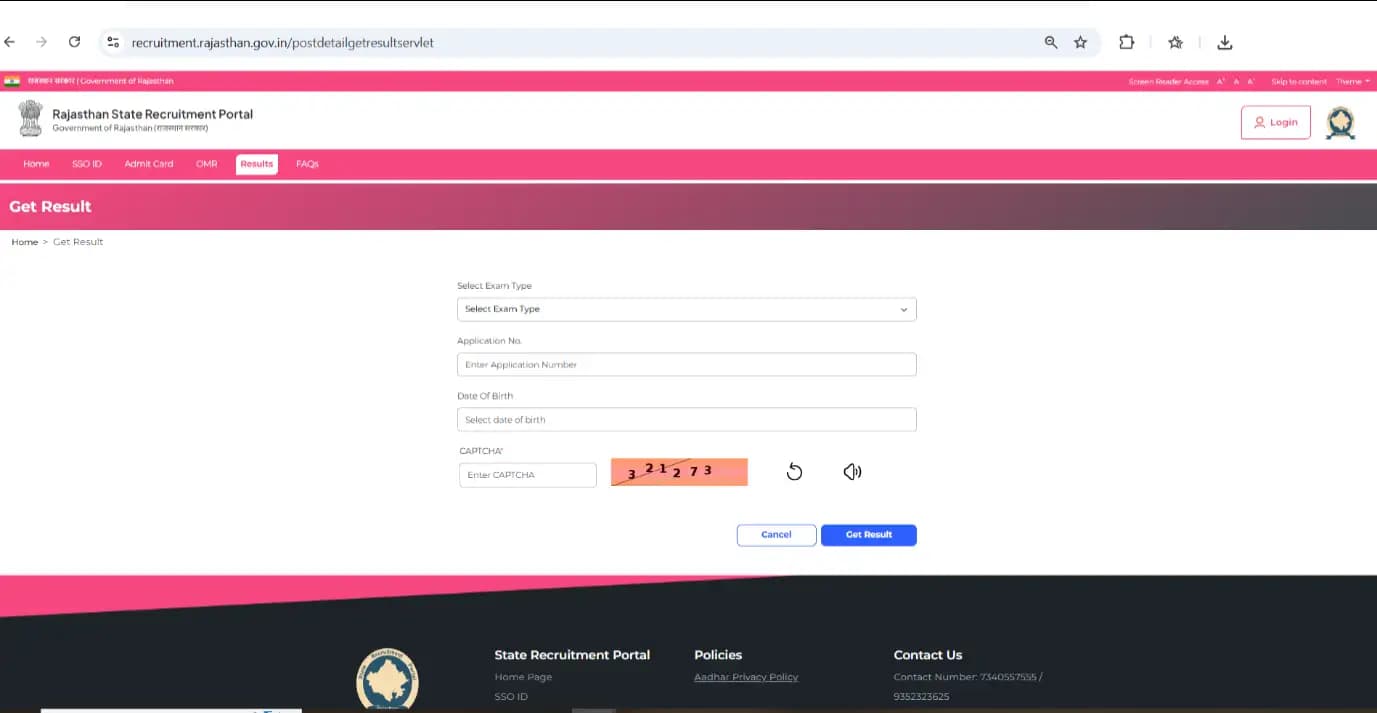
Enter the required details
Enter your Application Number, Date of Birth, and the Captcha to view and download your result.
4
Click the Get Result button
After entering the details, click the Get Result button to submit.
5
View and download your result
After submission, the result is displayed on the screen. Download or print the result for future reference.
Result availability
When will the result be available on the website?
Results for each recruitment are uploaded on the official website after completion of the examination process. Candidates are advised to regularly check the website for updates regarding result declaration.
How long will the result stay available?
The result shall remain available on the official website as per the instructions/decision of the concerned department. Candidates are advised to download and save a copy of the result for future reference.
Ready to check your result?
View and download your recruitment result on the official Rajasthan Recruitment Portal.